
VR for Remote Collaboration and Meetings | Future of Virtual Team Communication
Discover how Virtual Reality (VR) is revolutionizing remote collaboration, virtual meetings, and immersive teamwork experiences. Learn how 360 VR Photography creates next-generation VR collaboration solutions for businesses, events, training, and virtual communication.
VIRTUAL TOUR
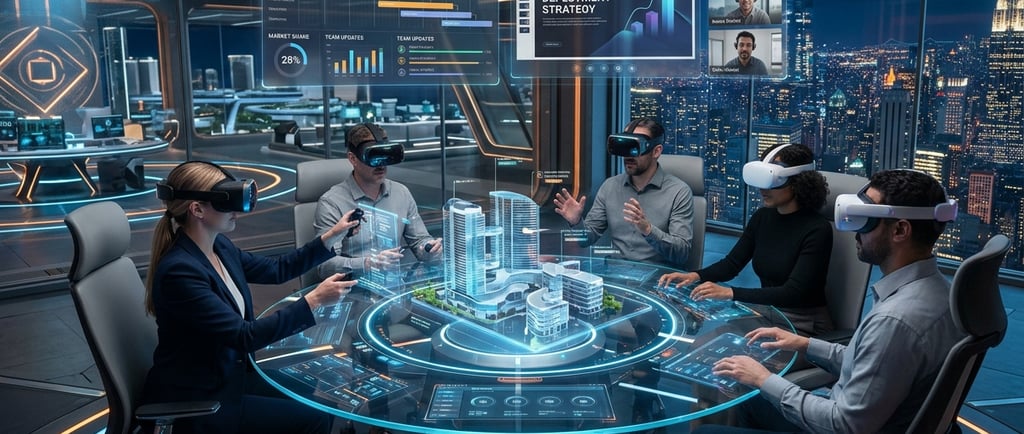
Introduction: Remote Work Has Entered a New Era
The way businesses communicate has changed dramatically. Traditional video conferencing platforms did an incredible job of keeping teams connected when remote work first surged, but today, companies are experiencing the limits of the flat screen. "Zoom fatigue" is real, and teams are searching for more immersive, engaging, and human-centric ways to collaborate across distances.
This is exactly where Virtual Reality (VR) and Spatial Computing are redefining the rules of remote communication. Instead of sitting in flat video grid blocks, teams can now step inside fully rendered, shared digital environments.
In these next-generation workspaces, professionals can interact naturally, present complex ideas visually, manipulate 3D models in real-time, and experience collaborative sessions that mimic the psychological feeling of true physical presence. VR collaboration isn’t just an experimental tool; it is reshaping the modern future of hybrid work.
What Exactly is VR Collaboration?
VR collaboration allows individuals distributed across completely different global coordinates to meet, brainstorm, and work within a unified digital environment using specialized headsets.
According to research on Virtual Events on Wikipedia, the rapid evolution of standalone head-mounted displays and cloud spatial infrastructure has moved virtual gatherings from niche experiments into critical enterprise workflows. Instead of staring at a standard webcam feed, users appear as fully customizable, lifelike 3D avatars.
Inside virtual office spaces, boardrooms, or industrial training facilities, participants communicate seamlessly via:
Spatial Audio: Voice volume and direction shift dynamically depending on where your avatar is standing relative to others, allowing for natural side-conversations.
Natural Gestures: Advanced hand-tracking lets you point, wave, and express yourself without controllers.
Interactive Whiteboards: Teams can draw, drop digital sticky notes, and pin live web feeds simultaneously.
3D Object Manipulation: Engineers and designers can physically pick up, scale, and dissect digital models of products.
Why Businesses Are Exiting the Video Grid for VR
Traditional video calls have a fundamental flaw: they turn communication into a passive, exhausting viewing exercise. Academic discussions on community portals like r/virtualreality on Reddit frequently break down how "nonverbal overload" happens when humans try to read social cues through tiny, compressed 2D boxes.
VR solves this by providing spatial presence. When you share a virtual room with your team, your brain registers the interaction as a real physical experience, keeping engagement levels exceptionally high and eliminating screen-induced mental fatigue.
The Concrete Business Benefits of Immersive Meetings
1. A Psychology of Real Presence
VR creates an undeniable feeling of togetherness. Because the environment fills your entire field of view, outside distractions—like checking your phone or clicking into another browser tab—are completely eliminated. This focused ecosystem drives sharper brainstorming sessions and stronger team connections.
2. Drastic Reductions in Corporate Travel Costs
Bringing global executives together for quarterly strategy reviews or project alignments is a massive logistical expense. Financial case studies reveal that replacing just half of a team's annual face-to-face cross-border trips with high-fidelity VR meetings can generate an immediate return on investment (ROI) of over 50%, saving thousands on airfare, hotels, and event catering.
3. Supercharged Remote Training and Onboarding
For hands-on industries like healthcare, aviation, and advanced manufacturing, classroom slide decks simply cannot scale. Immersive VR training allows remote workforces to practice complex technical procedures, interact with expensive machinery, or rehearse critical safety operations without physical risk or resource waste, massively boosting long-term knowledge retention.
How Immersive Technology Is Deployed Across Industries
Industry SectorPrimary VR Collaboration Use CaseCorporate EnterprisePermanent virtual offices, global board meetings, and interactive remote brainstorming hubs.Architecture & Real EstateCollaborative structural reviews, allowing clients to walk through digital twins of unbuilt properties.Manufacturing & AutoSimultaneous remote design inspections, prototyping reviews, and global assembly line styling.Events & Trade ShowsMassive virtual exhibition halls, keynote stages, and global B2B networking hubs.
The Power of 360° Media and AI in the Immersive Workspace
As we advance through 2026, the boundaries of remote collaboration are expanding via the integration of Artificial Intelligence (AI) and Mixed Reality (MR). Modern headsets can now overlay high-resolution 360-degree real-world footage straight into your digital conference room.
For example, a field engineer can capture an industrial facility using an Insta360 Pro 2, and remote executives sitting across the globe can immediately step inside that high-definition 360° environment together to perform real-time visual inspections, spatial mapping, and structural troubleshooting.
Technical Challenges to Keep in Mind
Transitioning to an immersive workspace yields incredible rewards, but organizations must plan around real adoption factors:
Hardware Management: Budgeting for and deploying standalone headsets across distributed employees.
Network Infrastructure: Ensuring reliable internet bandwidth to stream real-time 3D environments smoothly.
Comfort Optimization: Designing experiences that run at high frame rates (72 to 120 FPS) to guarantee complete user comfort and eliminate motion sickness.
Recommended Viewing
To get a vivid look at how spatial computing and virtual offices are deployed inside active enterprises, explore real-world workspace demonstrations on YouTube.
Search on YouTube: Look for "Meta Horizon Workrooms features" or "Enterprise collaboration in Spatial Computing" to see how global teams use digital avatars and interactive workspaces to build products together.
How 360 VR Photography Accelerates Your Virtual Workspaces
Stepping away from traditional video calls requires an experienced technical partner. At 360 VR Photography, we specialize in designing and deploying custom, end-to-end virtual spaces that turn remote communication into an experiential asset.
Our immersive corporate solutions include:
Custom VR Meeting Rooms and Permanent Metaverse Virtual Offices
High-Resolution 360° Industrial Site Walkthroughs and Live Streaming Assets
Interactive VR Presentations and Immersive Product Showcases
Augmented Reality (AR) & Mixed Reality (MR) Enterprise Deployments
Cinematic 360° Virtual Tours and Event Productions using the Insta360 Pro 2
Frequently Asked Questions (FAQ)
Q1: Can employees who don't own a VR headset still participate in VR meetings?
A: Yes. Most advanced enterprise VR collaboration platforms are built with cross-platform compatibility. Remote team members can easily join the shared digital space via a standard web link on their laptops, tablets, or smartphones, interacting with their headset-wearing colleagues via a clean desktop interface.
Q2: How secure is data shared inside a virtual reality meeting space?
A: Modern enterprise-grade VR communication platforms utilize strict end-to-end encryption protocols, secure cloud compliance frameworks, and multi-factor authentication systems to guarantee that confidential blueprints, financial data, and conversations remain completely private.
Q3: Is it difficult for non-technical employees to learn how to navigate a VR environment?
A: Not at all. With the emergence of advanced AI-guided gesture tracking, users no longer need to memorize complicated controller buttons. Simply moving your real hands, pointing, and using natural vocal commands makes the learning curve incredibly intuitive for users of any technical background.
Build Your Next-Generation Immersive Workspace
Ready to step out of the flat video screen and lead your remote team into a highly engaging, cost-effective virtual environment? Let’s connect to build your custom collaborative experience today.
Founder: Viral Gala
Company Name: 360 VR Photography
Contact Number: +91 9920322366
Websites: 360vrphotography.com | 360vrphotography.in

Experience
Engaging virtual tours for real estate and events.
Innovative
Immersive
info@360vrphotography.in
+91 9920322366