
Challenges of Recording with Insta360 Pro 2 Using 7 Memory Cards – How to Prevent Corrupt 360° Footage
Learn the biggest challenges of recording 360° video with Insta360 Pro 2 using 7 memory cards. Discover how missing or corrupt files can affect stitching, why preview checking is critical, and best practices for professional VR filmmakers.
INSTA 360 PRO2 CAMERA USES
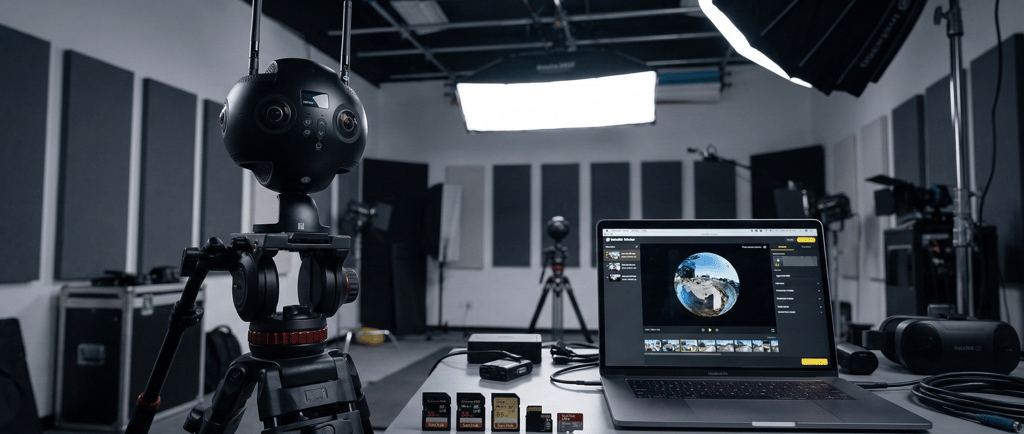
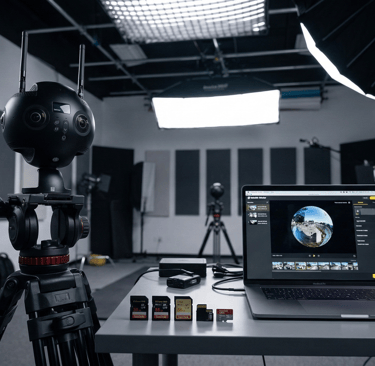
The 7-Card Nightmare: How to Master the Insta360 Pro 2 Without Losing Your Sanity
Professional 360° filmmaking is a high-stakes game of digital Tetris. Cameras like the Insta360 Pro 2 are absolute beasts, capable of delivering 8K stereoscopic video that makes viewers feel truly present. But here’s the catch: it breathes through seven separate memory cards simultaneously.
For the uninitiated, this sounds like a technical quirk. For the pro VR creator, it’s a potential single point of failure—multiplied by seven. One bad card, one forgotten click, and your entire shoot is a black hole.
Let’s dive into why this setup is so demanding and how you can "bulletproof" your workflow.
🎥 The Anatomy of the 7-Card System
The Insta360 Pro 2 doesn't just record "a video." It records a symphony of data. To achieve that immersive depth, the camera splits the workload:
6 MicroSD Cards: One for each individual lens (mapping out the 360° sphere).
1 Full-Sized SD Card: This handles the proxy files (low-res versions for quick editing) and essential system metadata.
Pro Tip: Think of these cards as the "limbs" of your camera. If one limb goes missing, the whole body can’t walk. This is a classic example of Parallel Recording where synchronization is everything.
⚠️ The "Black Hole" Effect: Missing or Corrupt Cards
The biggest nightmare in VR production is the Missing Card Syndrome. Because each lens is responsible for a specific "slice" of the world:
The Blind Spot: If Card #4 fails, you don't just get a lower-quality video; you get a giant black wedge in your 360° environment.
Stitching Paralysis: Software like Insta360 Stitcher or Mistika VR needs all six high-res files to calculate the "seams." Without the full set, the software simply won't compile the footage.
Common Culprits of Corruption:
Card Speed Mismatch: If one card is slower than the others, the buffer overflows and the recording drops.
Heat Issues: 8K recording generates massive heat. In 360° filming, thermal management is key to preventing file headers from failing to close.
🔎 The Golden Rule: The Post-Take Ritual
If you aren't checking your previews, you aren't "filming"—you're just "hoping."
After every "Cut!", the crew must perform a Proxy Check. By viewing the proxy file on the SD card via the Insta360 app, you can instantly see if all six lenses were firing. If the preview looks "broken" or won't load, reshoot immediately. It is 100x cheaper to reshoot for 5 minutes now than to realize the error 6 hours later in a dark editing suite.
📂 The "Pro" Checklist for Zero-Failure Shoots
To survive a professional VR shoot, you need discipline. Here is our internal manifest:
Format In-Camera ONLY: Never format your cards on a PC/Mac. Let the camera's OS create the directory structure it prefers.
The "V30" Minimum: Only use V30 or V60 rated cards. Mixed brands or speeds are a recipe for sync errors.
Physical Labeling: Use a fine-tip Sharpie to label your cards 1 through 7. Match them to the slots on the camera body every single time.
Double-Drive Backup: Use the "3-2-1" backup rule. Three copies, two different media types, one offsite.
❓ Frequently Asked Questions (FAQ)
Q: Can I stitch the video if I lose the 7th (full-sized) SD card? A: Yes, but it’s painful. You’ll lose your proxy files and stabilization metadata (Gyroscopic data), meaning you'll have to manually stabilize and stitch the 6 MicroSD files from scratch.
Q: Why not just use one giant internal SSD? A: Bandwidth. Writing 8K 3D data requires a massive "data pipe." Splitting the task across 6-7 cards allows the camera to handle the heat and bitrate without crashing.
Q: What is the best software for stitching if the Insta360 software fails? A: Many pros turn to SGO Mistika VR for its ability to handle "problematic" footage and fine-tune seams manually.
📺 Recommended Watching
To see this workflow in action, we highly recommend this tutorial: [Insta360 Pro 2 Complete Workflow – Shooting to Stitching] (Search this title on YouTube to see the physical card management and software interface in detail.)
🌐 Work With the VR Experts
Managing the complexities of 360° data shouldn't be your headache. At 360 VR Photography, we specialize in turning technical chaos into seamless immersive stories.
Website: www.360vrphotography.com
Services: 8K VR Production, Metaverse Content, and Live 360° Streaming.
Contact: [Your Name/Email/Phone Here]
Ready to bring your project into the third dimension? Reach out today, and let's ensure every lens captures your vision perfectly.
Would you like me to generate a specific technical table comparing the best microSD cards for this camera setup?

Experience
Engaging virtual tours for real estate and events.
Innovative
Immersive
info@360vrphotography.in
+91 9920322366